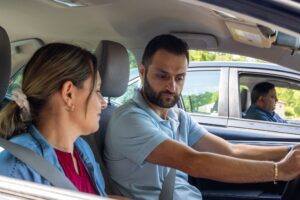

Every Massachusetts teen driver must complete 40 hours of supervised driving before the road test. The RoadReady app is the recommended tool for Massachusetts teen drivers to track those hours, export the state-approved log, and now, after the June 2026 update, score each supervised drive with telematics feedback. This guide explains exactly how to set up the app, log every session correctly, and use the new scoring features to build a stronger driver by the time the test appointment arrives.
Quick Answer
The RoadReady app is a free Massachusetts RMV-endorsed app that lets parents and teen drivers log, track, and export the 40 hours of supervised driving required before the road test. Download it from the App Store or Google Play, create a student account, link a parent as a Driving Supervisor, and tap “Start Drive” at the beginning of each session. The June 2026 update adds telematics scoring for acceleration, speed, cornering, and braking after each drive.
- Free app, available on iOS and Android, endorsed by the Massachusetts RMV for the 40-hour supervised driving requirement.
- Student creates an account, links a parent by email; the parent accepts and becomes a Driving Supervisor.
- Tap “Start Drive” to begin automatic tracking, or manually enter a session in 15-minute increments after the fact.
- At least 6 of the 40 hours must be logged as nighttime driving. The app tracks day and night separately.
- Students who complete the CMSC SKIDZ program qualify for a 30-hour requirement instead of 40.
- Export the completed log as a state-approved PDF from the Log tab before the road test appointment.
| Requirement | Standard | With SKIDZ / Skills Development Program |
|---|---|---|
| Total supervised hours | 40 hours | 30 hours |
| Minimum nighttime hours | 6 hours | 6 hours |
| Supervisor minimum age | 21 years old | 21 years old |
| Supervisor license required | Valid, at least 1 year | Valid, at least 1 year |
| Supervisor seating position | Front passenger seat | Front passenger seat |
| Who certifies completion | Parent or guardian, road test day | Parent or guardian, road test day |
Ready to start logging? Review CMSC’s complete Massachusetts Driver’s Ed Requirements guide to see how the 40 supervised hours fit into the full licensing timeline.
What Is the RoadReady App and Why Does Massachusetts Use It?
RoadReady is a free mobile app developed to help families log and manage supervised driving hours as part of the Graduated Driver Licensing process. The Massachusetts Registry of Motor Vehicles officially endorses RoadReady as part of its Parent’s Supervised Driving Program, making it the only app the state recommends for Massachusetts teen drivers producing a state-approved driving log affidavit. Using the RoadReady app gives Massachusetts teen drivers a digital record the RMV accepts at the road test.
Before apps like RoadReady existed, families tracked hours on paper logs, which were easy to lose, hard to verify, and provided no skill-based feedback. The app replaces the paper log while adding features that help parents coach their teen through each session with data instead of guesswork.
Why did the Massachusetts RMV update RoadReady in June 2026?
The Massachusetts RMV, in partnership with MassDOT and JF Griffin, released a significantly updated version of RoadReady on June 1, 2026. The update added telematics-based scoring, which uses the phone’s sensors to measure the teen’s driving performance during each supervised session. The app identifies risky behaviors in real time and delivers customized coaching afterward. Parents can view short animated videos from the driver’s ed curriculum directly inside the app.
According to the Massachusetts RMV’s June 2026 announcement, the goal is to help families do more than simply hit the hour minimum. The telematics data gives parents a concrete coaching framework for every drive, addressing the gap between teens who log 40 hours of passive practice and those who log 40 hours of deliberate skill-building practice.
How Do You Set Up the RoadReady App for Massachusetts Teen Drivers?
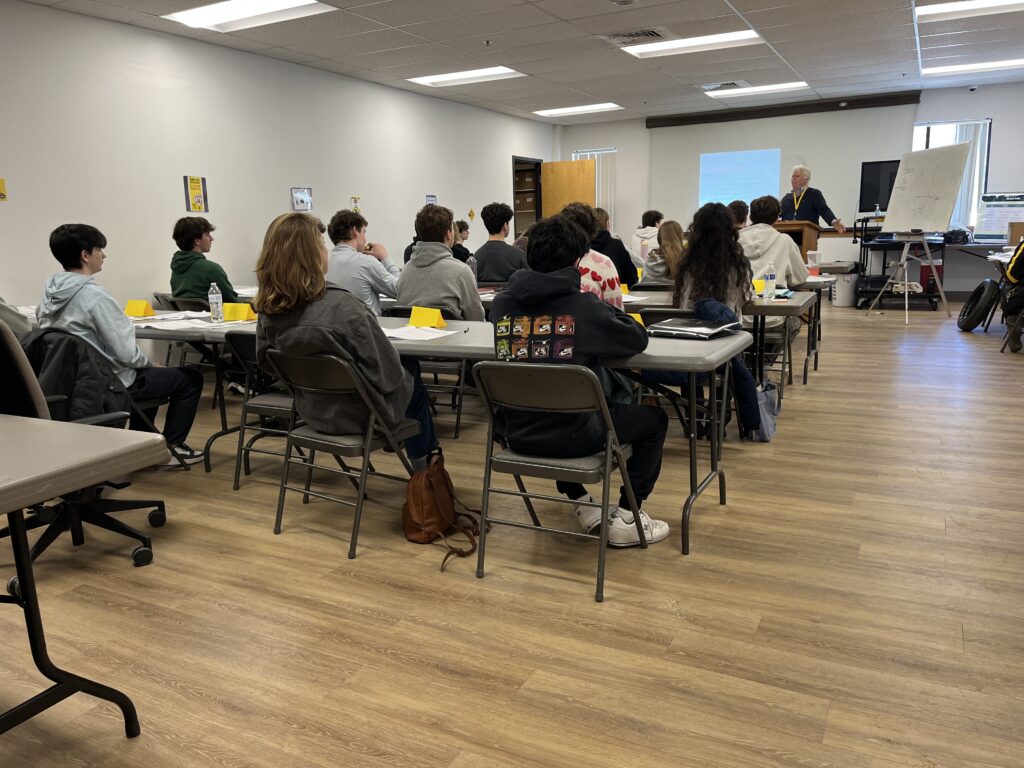
Setting up the RoadReady app for Massachusetts teen drivers takes about five minutes. Both the student and the parent need an account, and they need to be linked before any drive can be logged. Here is the setup sequence:
- Download the app. Search “RoadReady” in the Apple App Store or Google Play. The app is free for Massachusetts teen drivers. Install it on the teen’s phone and the parent’s phone.
- Student creates an account. The teen opens the app and registers as a Student Driver, entering their name, date of birth, and email address.
- Student adds the supervisor. Inside the student’s account, the teen selects “Add Driving Supervisor” and enters the parent’s or guardian’s email address.
- Supervisor accepts the invitation. The parent receives an email with a link to create their own Driving Supervisor account and connect it to the student. The parent must complete this step before any logged hours will count.
- Set location permissions. Both accounts should set location services to “Always Allow” for RoadReady. This allows the telematics feature to track the drive automatically without manual entry at the end.
- Confirm state settings. Inside the app, verify that Massachusetts is selected as the student’s state so the hour requirements match the Massachusetts 40-hour standard (or 30-hour standard for SKIDZ graduates).
Multiple supervisors can link to one student account. If both parents will supervise driving sessions, each parent should complete the invitation and account creation process. Hours from any linked supervisor count toward the total.
How Do Massachusetts Teen Drivers Log a Supervised Drive in the RoadReady App?
Logging a drive is the core function of the app. Both the student and the supervisor can start and end a session. Here is how a standard logged drive works:
- Before getting in the car, open the app and tap “Start a New Drive.” The app begins automatically tracking time, route, and driving behavior from this moment.
- Drive as usual. The telematics feature runs in the background. Avoid touching the phone during the drive.
- When the drive ends, tap to end the session. The app records the total time, categorizes it as day or night based on the actual start time, and logs route and telematics data.
- Review the post-drive report. The app displays a score based on speeding, acceleration, cornering, and braking, along with coaching tips for the parent to go over with the teen.
The logged drive is immediately added to the running total in both the student and supervisor accounts. Progress toward the 40-hour goal (or 30-hour goal for SKIDZ graduates) is visible on the app’s dashboard.
What Do the RoadReady Telematics Scores Mean After the June 2026 Update?
The June 2026 update changed RoadReady from a passive time-tracking tool into an active coaching platform. After each drive, the app produces a score based on four measured behaviors. Understanding what each measures helps parents give more useful feedback.
| Scored Behavior | What It Measures | Why It Matters for the Road Test |
|---|---|---|
| Acceleration | How smoothly the driver increases speed from a stop or slow roll | Harsh acceleration signals poor Vehicle control, which examiners note |
| Speeding | Time spent above posted speed limits during the drive | Exceeding limits during the road test is an automatic fail in Massachusetts |
| Cornering | Lateral force during turns, rotary entries, and lane changes | Sharp cornering indicates inadequate speed reduction before turns |
| Braking | How smoothly the driver decelerates and stops | Hard stops signal late hazard detection, a common examiner concern |
After each session, the app delivers customized coaching based on the score in each category. Parents can read the coaching tips in the app before or during the next drive conversation. The app also provides access to short animated videos from the Massachusetts driver’s ed curriculum, covering topics like defensive driving, night driving, and road sign recognition.
A low score in cornering often traces back to entering a rotary too quickly or not reducing speed enough before a turn. A low braking score usually means the teen is following too closely and not scanning ahead. Both patterns show up in road test failures, so catching them during the 40-hour practice period is exactly when they are most fixable.
How Many Supervised Hours Does Massachusetts Require Before the Road Test?
Massachusetts requires teen drivers to complete a minimum of 40 hours of supervised driving with a parent or guardian before the road test. This requirement applies to all drivers under 18 who are pursuing a Junior Operator License (JOL).
The 40 hours are separate from the 12 hours of professional behind-the-wheel instruction that a licensed driving school provides. Those 12 hours are part of the required driver’s education program. Parent-supervised hours are on top of those professional lessons and are the family’s responsibility to complete and certify.
Who can supervise the 40 hours in Massachusetts?
Massachusetts sets specific rules for who qualifies as a supervisor. To serve as a Driving Supervisor, a person must:
- Be at least 21 years old
- Hold a valid Massachusetts driver’s license (or a license from another state that Massachusetts recognizes)
- Have held that license for at least one year
- Sit in the front passenger seat next to the teen driver for the entire session
The supervisor does not need to be the teen’s parent. A grandparent, older sibling who meets the age and experience requirements, or another qualified adult can serve as a supervisor. All of their logged hours in RoadReady count toward the total, as long as they are linked as a Driving Supervisor in the app.

What Counts as a Night Drive in the Massachusetts Log?
Massachusetts requires that at least 6 of the 40 supervised hours be completed as nighttime driving. The RoadReady app tracks day and night hours separately, so the dashboard always shows how many nighttime hours have been logged and how many remain.
A drive counts as nighttime when it occurs after sunset. The app uses the actual local time at the start of the session to determine whether a drive is categorized as day or night. There is no manual override needed; the app handles the classification automatically.
What kind of night driving should teens practice in Massachusetts?
Meeting the 6-hour minimum is the floor, not the goal. Night driving conditions in Massachusetts present specific challenges that daytime practice does not address:
- Reduced visibility on unlit rural roads is common throughout Central Massachusetts, MetroWest, and the South Shore. Teens who have only practiced in lit suburban areas often struggle on darker routes.
- Headlight glare from oncoming traffic is a learned response. Experienced drivers instinctively shift gaze to the right edge of the lane. New drivers often stare at headlights, reducing their forward visibility.
- Deer and wildlife crossings increase significantly between dusk and midnight in Massachusetts, particularly in Worcester County. Scanning the road edges is a habit that takes practice.
- Wet pavement at night reduces visibility of lane markings and reflects headlights in ways that can be disorienting for first-time drivers.
CMSC instructors recommend completing more than the 6-hour minimum in night conditions, particularly if the road test appointment falls during fall or early winter when sunsets are earlier and lighting conditions on the test route may be different from what the teen has experienced.
Can You Manually Add Hours to RoadReady if You Forgot to Track a Drive?
Yes. The RoadReady app allows manual entry of previous supervised drives that were not tracked automatically. This is useful for families who practiced before downloading the app or who occasionally forgot to start a session.
After the June 2026 update, manual entries are recorded in 15-minute increments. A 47-minute drive, for example, would be logged as 45 minutes or 60 minutes. The supervisor’s manual entry carries the same weight as a GPS-tracked drive for the state-approved log.
To manually add a previous drive, open the app and go to the Log tab. Select the option to add a prior session.
Enter the date, start time, and duration. Choose day or night so the hours are correctly categorized. Both the student and the supervisor can enter manual drives.
If the family used a CMSC paper driving log during earlier practice sessions, use those written records to enter the missed hours manually. The parent’s certification at the road test appointment covers all logged hours, whether auto-tracked or manually entered.
How Should You Spread Your 40 Hours Across Different Driving Conditions?
The Massachusetts RMV and CMSC both recommend completing supervised hours across a variety of road types, traffic conditions, and times of day. Spending all 40 hours in the same neighborhood on the same route builds familiarity with one setting but not the adaptive skills the road test evaluates.
The RoadReady app logs the driving environment for each session, which helps parents and teens track whether they have covered residential streets, arterials, highways, and night conditions across the full practice period. Use the table below as a planning framework for building toward road test readiness over the full 40 hours.
| Practice Phase | Hours | Environment | Skills to Focus On | Connects to Road Test Criteria |
|---|---|---|---|---|
| Phase 1: Foundations | 1 to 8 | Residential streets, quiet parking lots | Starting and stopping smoothly, lane position, basic signaling, low-speed turns | Vehicle control, observation behavior |
| Phase 2: Arterial Roads</ttime minimum |
This structure mirrors the progression CMSC instructors use during professional behind-the-wheel lessons. Starting sessions on easier roads and building toward complex conditions produces a more capable driver than logging all 40 hours on the same familiar route.
How Do Massachusetts Teen Drivers Export the RoadReady App Log for the Road Test?
Massachusetts does not require families to print the RoadReady app log and submit it to the RMV before the road test. The RoadReady app makes it simple for Massachusetts teen drivers to export the completed log as a PDF before the road test appointment. On road test day, the parent or guardian verbally certifies that the teen has completed the required hours. However, having the exported log available is strongly recommended in case the examiner asks for documentation or if any dispute arises.
To export the completed driving log from RoadReady:
- Open the app and navigate to the Log tab.
- Select Export from the Log screen.
- The app generates a PDF that shows the total hours completed, the breakdown of day and night driving, and a session-by-session list with dates, durations, and driving scores.
- Email the PDF to yourself or save it to cloud storage. Print a copy to bring to the road test appointment alongside the teen’s learner’s permit and other required documents.
The exported PDF is the official state-approved affidavit format that Massachusetts recognizes. It replaces the paper form that families used before the app existed. For a full checklist of what to bring to the Massachusetts road test, including the vehicle requirements and permit documentation, see the CMSC Massachusetts RMV Road Test Guide.
What Should Massachusetts Teen Drivers Do if the RoadReady App Has a Problem?
The June 2026 update to RoadReady introduced significant changes to the app’s interface and login system. Some users reported being logged out after the update and having difficulty signing back in. If the app logs you out or you cannot access your account, here is the recommended approach:
- Wait and retry. After the June 2026 update, the app’s password reset email system experienced delays. Waiting 24 to 48 hours and then requesting a temporary password resolved the issue for many users without losing any logged data.
- Do not delete the app immediately. Deleting and reinstalling does not erase the logged hours, which are stored server-side, not locally on the phone. However, deleting the app and reinstalling has resolved login errors for some users after other methods failed.
- Screenshot your dashboard before any update. When a major app update is available, take a screenshot showing your total hours before installing it. This provides a documented record in case a login issue delays access to your account.
- Use the CMSC paper log as a backup. Download and print the CMSC parent driving log as a paper backup. Record each session on both the paper log and in the app. If the app loses a session, the paper log provides the information needed for a manual entry later.
- Contact RoadReady support directly. The RoadReady app has a built-in support contact option. For login problems or lost sessions, contacting support directly is the most reliable resolution path.
If the app fails to record a drive automatically because location services were not set to “Always Allow,” the missed session can be added as a manual entry after the fact. Use the paper log time notes as the source for the manual entry details.
Does Completing CMSC’s SKIDZ Program Reduce the 40-Hour Requirement?
Yes. Massachusetts allows teen drivers who complete a state-approved Driver Skills Development Program to reduce the supervised driving requirement from 40 hours to 30 hours. CMSC’s SKIDZ advanced driver training qualifies as an approved Driver Skills Development Program under Massachusetts law.
SKIDZ is an off-road, closed-course training program that teaches controlled skid recovery and emergency handling skills that are not covered in standard driver’s education or parent-supervised practice. Students who complete SKIDZ save 10 hours of required supervised driving time, which compresses the overall licensing timeline.
If your teen plans to complete SKIDZ, update the RoadReady app’s state settings to reflect the 30-hour requirement after the program completion certificate is on file. The parent certifies the 30-hour completion on road test day rather than 40 hours.
For more information about the full driver’s education requirements, including how the supervised hours timeline coordinates with classroom instruction, behind-the-wheel lessons, and the 6-month permit hold period, see the CMSC guide to the Massachusetts permit hold period.
What Comes Next After Completing the 40 Supervised Hours?
Once the 40 hours are logged in RoadReady and the permit has been held for at least 6 consecutive months with a clean record, the teen is eligible to schedule the Massachusetts road test. The road test evaluates vehicle control, observation, signaling, stopping, turning, rotary navigation, parallel parking, and a three-point turn across a structured on-road route near the chosen RMV test location.
CMSC offers a road test preparation service that includes a warmup lesson on the morning of the exam, a school vehicle for the test, and scheduling coordination at Worcester and Leominster RMV locations. Students who have completed their 40 supervised hours and are ready to move forward can review the full CMSC Massachusetts RMV Road Test Guide to understand exactly what the examiner scores and how to prepare for each component.
For Massachusetts teen drivers and families who want a paper backup log alongside the RoadReady app, the CMSC parent driving log is available to print in PDF or Word format.